
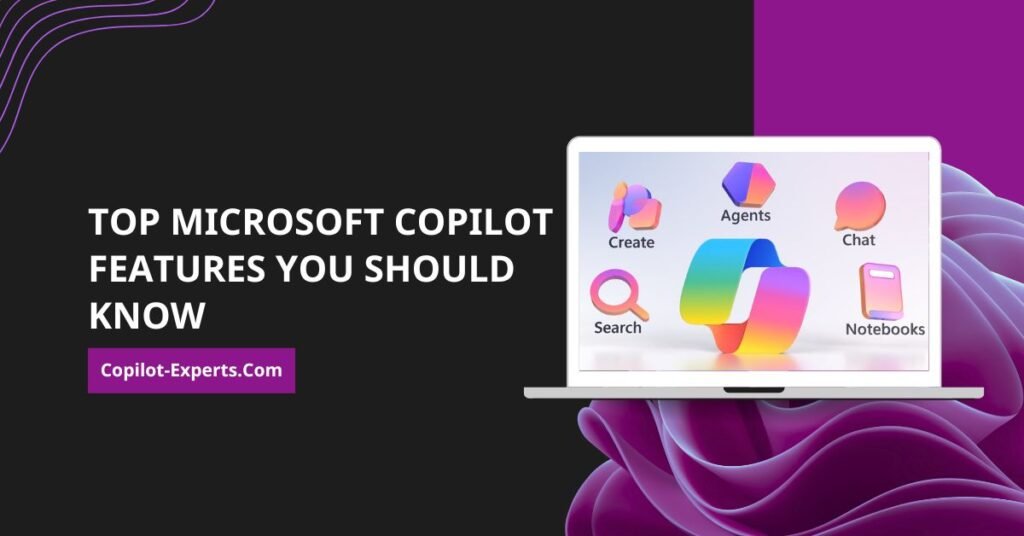
TL;DR: Microsoft 365 Copilot is an AI-powered assistant that integrates with your daily Microsoft apps to automate tasks, analyze data, and generate content. The top features for 2026 include Excel data analysis, Teams meeting summaries, intelligent document summarization, and custom AI agents built in Copilot Studio.
AI is no longer just a simple chatbot. Today, Microsoft 365 Copilot acts as a digital workforce member.
Microsoft 365 Copilot can write documents, analyze spreadsheets, summarize meetings, draft emails, and create presentations. It can even automate repetitive tasks across your organization. Yet most companies only use a fraction of their capabilities.
In this guide, we explore the top Microsoft Copilot features you should know in 2026. You will learn how your business can use these tools to save time, improve productivity, and increase your return on investment (ROI) from Microsoft 365.
What is Microsoft Copilot?
Microsoft 365 Copilot is an AI-powered productivity tool. It uses large language models (LLMs) and connects directly to your business data through the Microsoft Graph. Copilot integrates natively with Microsoft Word, Microsoft Excel, Microsoft Outlook, Microsoft Teams, Microsoft PowerPoint, and Microsoft Loop.
Unlike public versions of ChatGPT, Microsoft 365 Copilot delivers enterprise-grade AI security. Your data stays within your tenant. Microsoft does not train its public models on your customer data. The Microsoft Graph personalizes your responses using the emails, chats, and documents you already have permission to access.
Why do Microsoft Copilot features matter?
You want your team to focus on high-value work. Microsoft 365 Copilot makes this possible by driving massive productivity gains and time savings.
Copilot handles the manual work. It reduces the time employees spend searching for files, reading long email threads, and formatting reports. This leads to better collaboration and faster decision-making. According to recent Microsoft data, organizations using AI assistants in daily work save an average of two hours per week per employee.
What are the top Microsoft Copilot features you should know?
Understanding the core capabilities of Microsoft 365 Copilot will help you maximize your software investment.
1. How does AI-powered content creation work in Word?
Staring at a blank page wastes time. Microsoft Copilot in Word solves this by generating text based on your prompts.
You can ask Copilot to “create a project proposal” or “draft a sales report.” Copilot will generate complete reports, project plans, standard operating procedures (SOPs), and meeting summaries in seconds. This saves your team hours of drafting time every week.
2. How does intelligent document summarization save time?
Reading 50-page documents drains productivity. Copilot can summarize lengthy reports, PDFs, Word files, and contracts instantly.
This is one of the most used Copilot features. Executives, managers, and consultants use it to extract key points from massive documents without reading every page.
3. Can you do Excel data analysis without formulas?
Yes. Excel data analysis without formulas is one of the most powerful Microsoft Copilot Excel features.
You no longer need to memorize complex formulas. You can simply ask Copilot to identify trends, forecast sales, generate charts, and import data from outside Excel. Copilot creates the formulas and visualizes the data for you.
4. How do meeting summaries work in Teams?
Taking meeting notes manually is outdated. Copilot provides AI-generated meeting recaps in Microsoft Teams.
It captures key decisions, action items, and follow-up tasks automatically. You can even ask Copilot real-time questions during the meeting using the live transcript. You get accurate records without needing a designated note-taker.
5. What are the Microsoft Copilot features in Outlook?
Managing a busy inbox is overwhelming. Microsoft Copilot features in Outlook help you draft emails, rewrite messages, and summarize long email threads.
Copilot prioritizes your inbox to show you the most important messages first. It also provides coaching tips on clarity, sentiment, and tone so you always send professional emails.
6. Can Copilot generate PowerPoint presentations?
Building slide decks takes hours of formatting and design. Copilot creates complete PowerPoint presentations from your Word documents, meeting notes, or reports.
It handles slide generation, writes speaker notes, and provides design recommendations. It even includes advanced image editing with AI on premium plans.
7. What is the Business Chat feature?
Business Chat (Microsoft 365 Copilot Chat) is the ultimate search tool. It connects your emails, documents, meetings, and chats into one unified interface.
Using Microsoft 365 Copilot Search, you can ask questions like, “What happened on Project Alpha last week?” Copilot generates precise answers grounded in your actual work data.
8. How does the AI-powered research assistant work?
You need accurate information to make business decisions. Copilot acts as a dedicated research assistant.
It can research competitor data, summarize information, extract insights, and generate recommendations. It also uses web grounding to incorporate current information directly from the internet.
9. Can you automate workflows with Power Automate?
Manual approvals slow down business operations. Copilot integrates with Microsoft Power Automate to build workflow automations using plain English.
You can use this feature to automate document approvals, system notifications, and routine reporting.
10. What are Copilot Studio AI Agents?
By 2026, Microsoft Copilot Studio will allow businesses to build custom AI agents.
These agents act as internal assistants that automate complex workflows. New 2026 features include computer use (which automates web and desktop apps, arriving GA May 2026), MCP-compliant tools in agent workflows (GA October 2026), and agents optimized for Microsoft 365 users (Preview June 2026). For example, you can build an AI agent that automatically reviews incoming vendor invoices and updates your finance system.
What is Microsoft 365 Premium?
Microsoft 365 Premium (formerly known as Microsoft Copilot Pro features) targets individual users, students, and personal productivity enthusiasts.
This tier offers custom AI agents to perform complex tasks, such as creating source-cited research reports. It provides extensive usage for select Copilot features and preferred access to AI models during peak times. Users also get advanced tools like AI-generated audio (English only) and visual AI assistance that answers questions based on your screen or camera.
How can you use Microsoft 365 Copilot for personal use?
Microsoft 365 Personal or Family plans include Copilot for personal use.
You can use it for personal productivity, study assistance, writing support, household planning, and budget management. If you need help organizing a family vacation or managing a monthly budget in Excel, the personal version of Copilot handles it easily.
Microsoft Copilot features by application
Different apps offer different AI capabilities. Here is exactly what Copilot does in each Microsoft tool.
| Application | Key Features |
|---|---|
| Word | Drafting, summarizing, rewriting, and text-to-table visualization |
| Excel | Analysis, forecasting, formula suggestions, charts, Python code |
| Outlook | Email creation, summarization, coaching tips, and inbox prioritization |
| Teams | Meeting summaries, action items, chat summarization (30 days) |
| PowerPoint | Presentation generation, speaker notes, design recommendations |
| Loop | Collaborative content creation |
| OneNote | Draft plans, generate ideas, organize information |
| Whiteboard | Generate ideas, organize into themes, summarize content |
Real business examples of Microsoft Copilot features
Businesses across all departments use Copilot to speed up their workflows.
| Team | Use Cases |
|---|---|
| HR Teams | Policy creation, onboarding document generation |
| Marketing Teams | Content generation, campaign data analysis |
| Sales Teams | Proposal drafting, personalized email creation |
| Finance Teams | Revenue forecasting, expense reporting |
| Operations Teams | Process automation, shipment tracking via AI agents |
What are the benefits of Microsoft Copilot features?
Deploying Microsoft 365 Copilot correctly transforms how your business operates.
You will see increased productivity and reduced operational costs. Teams benefit from faster decision-making and better collaboration. Ultimately, eliminating tedious manual work leads to a much-improved employee experience.
What common mistakes do businesses make?
Technology only works if your team uses it correctly. Many organizations fail to see ROI because they make these common mistakes:
- Buying Copilot without an adoption strategy
- Providing no user training
- Using poor or basic prompts
- Lacking data governance and security controls
- Failing to measure ROI
How to get the most out of Microsoft Copilot
Getting the most from your investment requires a clear plan. Follow these steps:
- Train employees: Teach your staff how to use the tools effectively.
- Create prompt libraries: Build a shared list of highly effective prompts for your team to reuse.
- Identify use cases: Map out exactly which daily tasks Copilot will replace.
- Measure ROI: Track time saved and content produced to prove the value.
- Build workflows: Integrate AI agents into your existing business processes.
Why businesses choose Copilot Experts (Powered by Empathy Technologies)
Implementing AI takes careful planning. Copilot Experts, powered by Empathy Technologies, helps organizations unlock the full value of Microsoft Copilot.
We offer Copilot consulting, implementation, adoption programs, AI agent development, and ROI optimization. Clients choose us for our Microsoft-focused expertise, business-first approach, and end-to-end support. We focus on ROI-driven implementation to ensure your AI investment actually pays off.
Future Microsoft Copilot features expected beyond 2026
Microsoft continues to push the boundaries of enterprise AI. Looking past 2026, you can expect autonomous AI agents and agentic workflows to dominate.
Voice AI will become standard, with features like answering machine detection and proactive engagement reaching General Availability in January 2026. Microsoft is moving toward a multi-agent collaboration model, establishing an “AI workforce” where different Copilot Studio agents collaborate to solve complex business problems.
The future of Microsoft Copilot
Microsoft Copilot continues to evolve from a simple chat assistant into a robust autonomous agent platform.
Features now go far beyond simple content generation. Success with this technology depends entirely on your implementation, user adoption, and workflow integration. Businesses that adopt AI effectively will gain a massive competitive advantage.
By 2026, Copilot has become an AI workforce member that orchestrates tasks across Word, Excel, PowerPoint, Outlook, and Teams simultaneously.
Ready to unlock the full power of Microsoft Copilot?
Stop wasting time on manual implementation. Copilot Experts helps businesses implement Microsoft Copilot, build AI workflows, create custom AI agents, improve team adoption, and maximize ROI.
👉 Book a Free Microsoft Copilot Strategy Call today.
Frequently asked questions
What are the best Microsoft Copilot features?
The best features include Business Chat for universal search, Excel data analysis for instant charting, Teams meeting summaries for automated note-taking, and Word content creation for rapid drafting.
Which Microsoft apps support Copilot?
Microsoft natively integrates Copilot into Word, Excel, PowerPoint, Outlook, Teams, Loop, OneNote, Whiteboard, and Forms.
What are Microsoft Copilot’s features in Outlook?
In Outlook, Copilot handles email drafting, long thread summarization, tone coaching tips, and inbox prioritization.
Is Microsoft Copilot useful for small businesses?
Yes. Microsoft 365 Business plans include Copilot for Teams, making it highly accessible and useful for small businesses wanting to scale their output.
What is Microsoft Copilot Pro?
Microsoft discontinued the “Copilot Pro” name in October 2025. It replaced it with Microsoft 365 Premium, which provides advanced AI agents and features for individual users.
Can Microsoft Copilot create PowerPoint presentations?
Yes. Copilot can create complete PowerPoint presentations directly from text prompts or existing Word documents. It also generates speaker notes and design recommendations.
Does Copilot work with Excel?
Yes. Copilot in Excel provides formula suggestions, trend analysis, chart generation, and data import capabilities without requiring you to write complex formulas.
What is Business Chat in Microsoft Copilot?
Business Chat is a universal search tool. It scans your emails, documents, meetings, and chats to provide answers grounded in your specific business data.
Is Microsoft Copilot secure?
Yes. Microsoft 365 Copilot provides enterprise data protection. Your data stays entirely within your tenant, and Microsoft does not train its LLMs on your customer data.
How much does Microsoft Copilot cost?
For businesses, Copilot is an add-on license for Microsoft 365. For individuals, it is included in Microsoft 365 Personal, Family, or Premium plans. GitHub Copilot will use usage-based AI token pricing starting in May 2026.
