
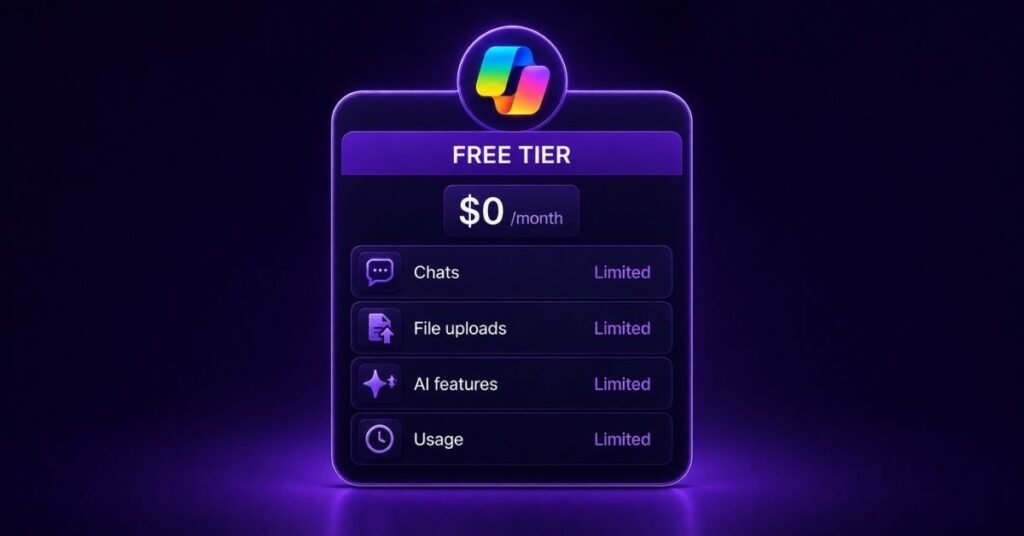
Microsoft Copilot is one of the most widely used AI assistants available right now. You can use it without paying a penny. But the free version comes with real limits — and knowing them helps you decide whether to upgrade.
But here’s the challenge. Microsoft now sells Copilot as a family of products, not a single tool. There’s Copilot Free, Microsoft 365 Personal, Premium, Copilot Chat, and Copilot Business. The naming is confusing, and it’s hard to tell what you actually get for free.
This guide answers the questions you’re really asking. Is Microsoft Copilot free? What are the limits? And is the free tier enough for work?
Understanding Microsoft’s Copilot ecosystem in 2026
Microsoft now positions Copilot as a range of products tailored to different users. Here’s how the main plans break down:
- Copilot Free: A general-purpose AI assistant for web and personal tasks.
- Microsoft 365 Personal: Copilot built into Word, Excel, PowerPoint and more, for one person.
- Microsoft 365 Family: The Personal features are shared with up to five family members.
- Microsoft 365 Premium: The highest consumer usage limits, plus Microsoft Designer and up to 6 TB of storage.
- Microsoft 365 Copilot Business: Copilot is grounded in your company’s data, built for small and medium businesses.
- Copilot Studio: A low-code platform for building your own AI agents.
The key takeaway is simple. The free version and the paid versions are very different products.
Read This First: Microsoft Copilot Pricing Explained
What’s included in Microsoft Copilot Free?
You get more than you might expect. Free Copilot covers the core AI tasks most people need day to day:
- AI chat
- Web search grounding
- Writing assistance
- Summarisation
- Brainstorming
- Image generation
- The Copilot mobile app
- Copilot on the web
- Copilot in the Edge browser
You can reach all of this through your browser at copilot.microsoft.com, the mobile and desktop apps, or directly in Microsoft Edge.
Microsoft Copilot free tier limits in 2026
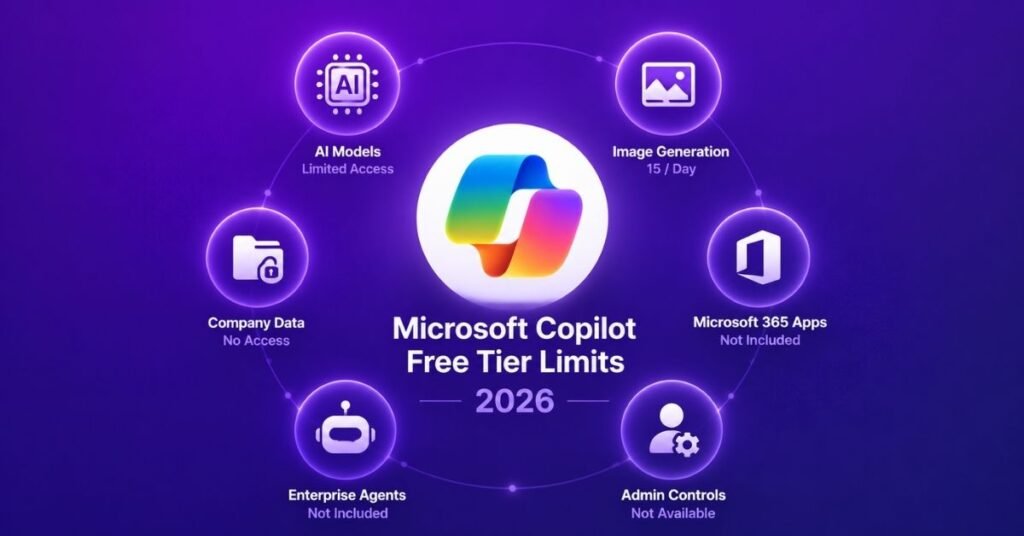
Free Copilot is capable. But it’s capped in several important ways. Here are the limits that matter most.
1. Limited access to advanced AI models
Free users access the latest AI models mainly during non-peak hours. Paid subscribers get higher usage limits and priority access.
Key takeaway: Free users may experience throttling when demand is high.
2. Daily image generation restrictions
You can create AI images for free. But the number is limited. Microsoft documents 15 image-generation boosts per day for free users.
| Feature | Free |
|---|---|
| Image generation | Yes |
| Daily boosts | 15/day |
| Priority AI images | No |
3. No deep Microsoft 365 app integration
Free Copilot does not work inside your Office apps. As a free user, you cannot:
- Use Copilot inside Word desktop
- Use Copilot inside Excel
- Use Copilot inside PowerPoint
- Access Outlook AI productivity features
Deep app integration requires a Microsoft 365 subscription.
4. No access to your organizational data
This is the biggest limitation for work. Free Copilot draws only on web knowledge. It cannot reach your company’s files or conversations.
Free Copilot cannot access:
- Teams messages
- SharePoint
- OneDrive for Business
- Exchange mailboxes
Microsoft 365 Copilot is grounded on Microsoft Graph — your emails, documents, meetings and Teams chats. Free Copilot has none of this.
5. No Work IQ intelligence layer
Work IQ is the intelligence layer that gives Copilot business context. It understands your work relationships, your workflows, and indexes your content semantically.
Work IQ comes with Microsoft 365 Copilot licensing. It’s not part of the free experience.
6. No advanced enterprise search
Free Copilot offers only basic search. It does not include semantic company search, Microsoft Graph search, or AI-powered retrieval across your workplace. Those capabilities sit with licensed Microsoft 365 Copilot experiences.
7. No Microsoft enterprise agents
Free users cannot access Microsoft’s prebuilt agents, including:
- The Researcher agent
- The Analyst agent
- The Facilitator agent
These agents are tied to Microsoft 365 Copilot licences.
8. No enterprise administration controls
Free Copilot includes no admin tooling. That means no governance controls, no compliance dashboards, and no enterprise analytics. Management and reporting features belong to the Microsoft 365 Copilot enterprise offerings.
Free vs Personal vs Premium vs Business
Here’s how the four main tiers compare across the features that matter most:
| Feature | Free | M365 Personal | M365 Premium | Copilot Business |
|---|---|---|---|---|
| AI chat | Yes | Yes | Yes | Yes |
| Word Copilot | No | Yes | Yes | Yes |
| Excel Copilot | No | Yes | Yes | Yes |
| PowerPoint Copilot | No | Yes | Yes | Yes |
| Outlook Copilot | No | Yes | Yes | Yes |
| Image generation | 15/day | Higher | Highest | Yes |
| Priority models | No | Yes | Yes | Yes |
| Work data access | No | No | No | Yes |
| Work IQ | No | No | No | Yes |
| Enterprise agents | No | No | No | Yes |
| Admin controls | No | No | No | Yes |
| Security & EDP | No | Personal | Personal | Enterprise |
Who should use Microsoft Copilot Free?
The free tier suits anyone who needs AI for personal and everyday tasks. That includes:
- Students
- Job seekers
- Content writers
- Bloggers
- Freelancers
- Researchers
- Everyday users
It handles tasks like writing emails, drafting blog posts, summarising articles, brainstorming SEO ideas, and creating social media captions. For these jobs, free is often all you need.
Who should upgrade beyond free?
The right paid plan depends on how you work.
Upgrade to Microsoft 365 Personal if:
- You use Word, Excel or PowerPoint daily
- You want AI inside your Office apps
- You need higher usage limits
Upgrade to Microsoft 365 Premium if:
- You run a small business or work for yourself
- You need the highest consumer AI limits
- You want Microsoft Designer
- You need up to 6 TB of cloud storage
Upgrade to Microsoft 365 Copilot Business if:
- You live in Teams and Outlook
- You need AI that works across your company’s data
- You want the Researcher and Analyst agents
The free limits that matter most for businesses
For business users, the gaps come down to one thing: your data. Free Copilot cannot:
- Search your internal documents
- Summarise Teams meetings across your organization
- Analyze your business emails
- Generate reports from organizational data
- Access SharePoint knowledge bases
Microsoft 365 Copilot Business closes these gaps. It connects Copilot to your workplace content through Microsoft Graph and Work IQ.
Things about Copilot Free that most people don’t know
Four points are worth keeping in mind:
- Free Copilot is powerful enough for most everyday AI tasks.
- Free Copilot is not the same as Microsoft 365 Copilot.
- Business productivity features require a paid licence.
- Microsoft is steadily separating its consumer and business AI experiences.
Frequently asked questions
Is Microsoft Copilot free forever?
Yes. Copilot is free to use in your browser and through the Copilot app on desktop and mobile, with limited features.
What are Microsoft Copilot’s free limits?
You get 15 image boosts per day, latest-model access mainly during non-peak hours, no Office app integration, and no access to your organizational data.
Does Copilot Free include the latest models?
Yes, but with conditions. Free users access the latest OpenAI models mainly during non-peak hours. Paid plans get priority access and higher limits.
Can I use Copilot Free in Word?
No. Copilot inside Word, Excel, PowerPoint and Outlook requires a Microsoft 365 subscription.
How many AI images can I generate daily?
Microsoft documents 15 image boosts per day for free users.
Can Copilot Free access to company documents?
No. Free Copilot uses web knowledge only. It cannot reach Teams, SharePoint, OneDrive for Business or Exchange.
Is Microsoft 365 Copilot worth paying for?
It depends on your work. If your productivity relies on company emails, meetings, documents and Teams chats, the paid version delivers value the free tier cannot match.
Final verdict
Free Copilot is an excellent personal AI assistant. For writing, summarising and brainstorming, it does the job well — and most people can start there at no cost.
But businesses hit the ceiling quickly. The single biggest difference is access to your organizational knowledge. Free Copilot cannot touch your emails, Teams chats, meetings, documents or SharePoint.
Microsoft 365 Copilot adds what the free tier leaves out: Work IQ, organizational grounding, enterprise agents, advanced search, analytics, security controls, and full Microsoft 365 app integration. Start free, see how far it takes you, and upgrade when your work depends on your company’s data.
First call is free.
